
Retention guide
Shopify store credit accounting: how to record it on your books
How Shopify store credit shows up in your bookkeeping. Refund to credit, marketing credit, and redemption, with the right journal entries.
Why this matters
Shopify store credit is not a gift card and it is not a discount code. The accounting treatment is different from both. Most merchants do not realize this until their accountant asks how the balance on the books reconciles, at which point it gets messy.
This guide covers the three scenarios merchants run into with Shopify store credit, the right way to record each one, and what to keep in your audit trail.
Disclaimer up front: I am not a CPA. The principles below are how most US and Canadian accountants handle Shopify store credit, but treatment varies by jurisdiction. Verify with your accountant before locking in policy.
The three scenarios
There are three distinct scenarios in which store credit shows up on your books. Each has a different treatment.
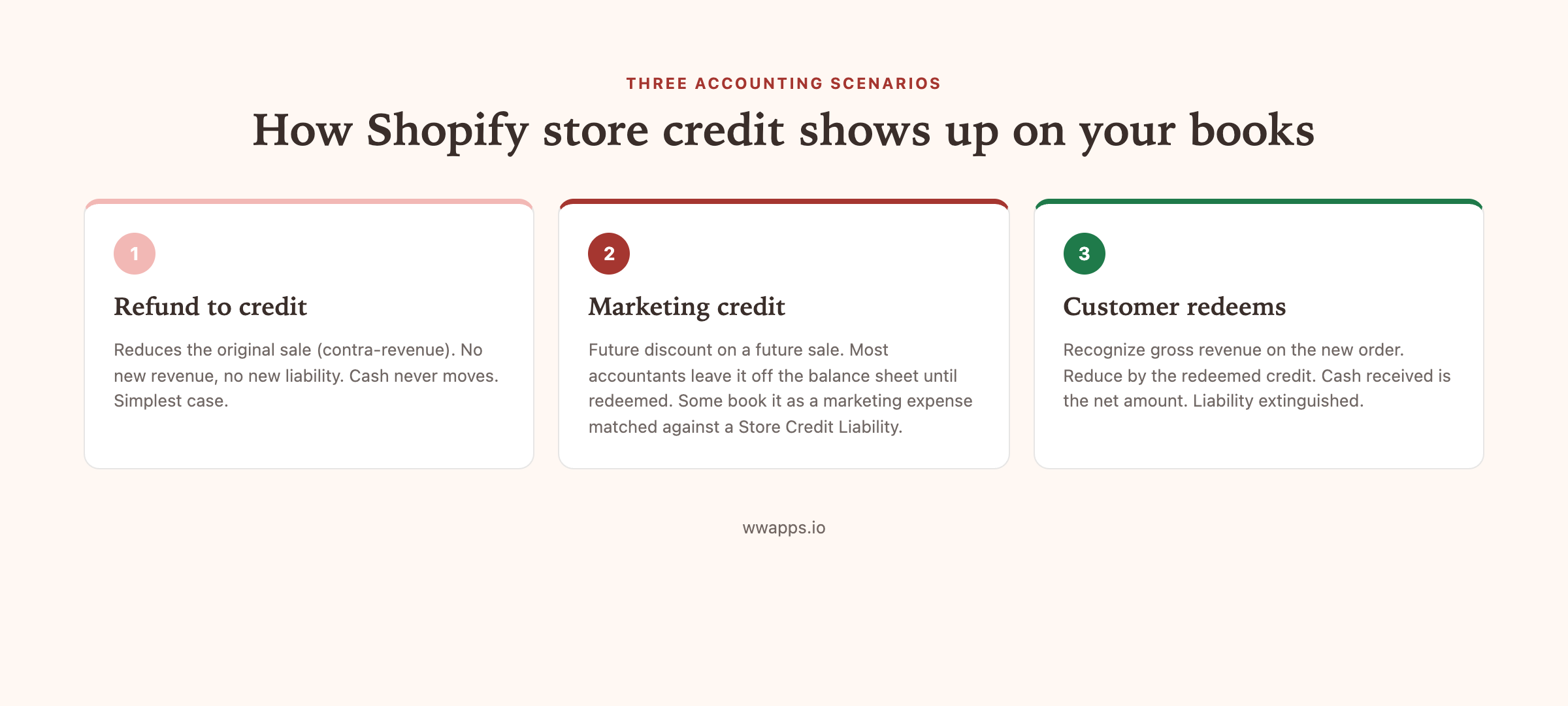
Scenario 1: refund to store credit instead of cash
You issue a refund on an order, but instead of sending cash back to the customer’s payment method, you put the value on their store credit balance. The customer keeps the value, you keep the cash on your shop.
Accounting treatment: this is a contra-revenue entry. The original sale is reduced by the credited amount on your income statement. No new revenue is created. No new liability is created. The cash never moved, so there is no cash entry. Most accountants book this as a debit to Sales Returns and a credit to a Store Credit Liability account.
When the customer later redeems the credit on a future order, the redemption reduces the new sale by the credit value, and the Store Credit Liability is reduced by the same amount.
Scenario 2: store credit as a marketing gesture
You issue store credit to a customer for marketing reasons. A VIP thank-you, a win-back campaign, or an apology after a shipping mistake. No prior sale, no prior payment, just credit appearing on the customer’s balance.
Accounting treatment: this is a future discount on a future sale. It is not revenue (no money changed hands) and it is not strictly a liability either (the customer has no legal claim to cash). Most accountants leave this off the balance sheet entirely until redeemed, at which point the redemption is treated as a discount on the new sale.
Some merchants choose to book the issuance as a marketing expense matched against a Store Credit Liability, especially if the credit amounts are large. That gives you cleaner expense recognition but adds bookkeeping work. Talk to your accountant about which approach fits your business.
Scenario 3: customer redeems store credit on a new order
The customer applies their balance to a new order. The order shows a discount line for the credit value. Cash plus original sale value comes in, credit balance comes off the customer record.
Accounting treatment: this is the simplest case. Recognize revenue for the gross sale value of the order. Reduce by the credit redemption (which clears the corresponding liability if you booked it that way). Net cash received is what hits your bank.
If you booked the original credit issuance as a liability (scenario 1 or scenario 2 with the expense approach), the liability is now extinguished.
What to keep in your audit trail
Whether you are on Shopify Plus or using an app like Bulk Store Credit by Win-Win Apps, your store credit tool should give you these records:
- A timestamp for every credit issued and every credit redeemed.
- The customer record associated with each transaction.
- The amount of each transaction.
- The internal note (refund for order #1042, Q2 win-back, VIP thank-you, etc).
- The order number for each redemption.
Export this as a CSV monthly. That CSV is what your accountant will reconcile against the cash side of your books.
Common mistakes
Treating store credit revenue as recognized at issuance. This double-counts revenue. Recognize at redemption only.
Treating refund-to-credit as a cash refund. A cash refund reduces your tax liability for the period in a specific way. Refund-to-credit does not, because cash did not leave. Tax treatment varies by jurisdiction, so check.
Letting balances accumulate forever without expiry. This is not technically an accounting mistake but it inflates your liability over time and creates a clean-up problem later. Set a 12-month expiry on each credit so inactive balances clear off your books. Bulk Store Credit by Win-Win Apps lets you set per-credit expiry.
Mixing store credit balances with gift card balances on your reports. Native Shopify reports the two separately for a reason. Keep them separate in your bookkeeping too, since the tax and revenue recognition treatment is different.
Reporting templates
For most stores, three monthly reports cover the work:
- Credit issued, by reason. How much new credit hit customer accounts this month, broken down by refund-to-credit, win-back, VIP, apology, and other.
- Credit redeemed, by month of issue. How much of the credit issued in each prior month has been redeemed by now. This is your redemption rate over time.
- Outstanding credit balance. Total credit on customer accounts that has not yet been redeemed and has not yet expired. This is your liability snapshot.
Export each from the app dashboard or from Shopify (on Plus) and hand to your accountant monthly.
Tax considerations
Sales tax: in most jurisdictions, sales tax is calculated on the post-credit subtotal. If the customer has $25 of credit applied to a $100 order, sales tax is calculated on $75 (not $100). Verify with your accountant for your country and state. Shopify checkout handles this automatically by default.
Income tax: store credit issued as a refund typically does not change your taxable income (the original sale is reduced). Store credit issued as a marketing gesture is typically a reduction of revenue at the time of redemption rather than an expense at the time of issuance. Both treatments vary by jurisdiction.
Where to go next
If you want the full pillar guide on Shopify store credit, including checkout mechanics, plan compatibility, and the full feature comparison, read Shopify store credit, the complete merchant guide.
If you want to install and start tracking these records cleanly from day one, Bulk Store Credit by Win-Win Apps exports a clean CSV audit trail for every issue and every redemption. Free plan, every Shopify plan including Basic.
Keep reading
More guides you might need.
3 min read
How to add one-tap reorders and a Buy It Again page to Shopify
Let repeat customers rebuy past orders in one tap with every option preserved, and reward the reorder with store credit.
3 min read
How to auto-reward customers with store credit on Shopify
Set up rules that issue store credit automatically when a customer hits a milestone, like second order or $500 lifetime spend.
5 min read
How to bulk issue Shopify store credit to a customer segment
Issue store credit to every customer matching a Shopify segment, without exporting a CSV. The filter-based workflow for win-back, VIP and apology campaigns.
6 min read
How to bulk issue store credit on Shopify via CSV
Credit 100, 500 or 5,000 Shopify customers in one upload. The CSV format, the amounts that work, and the mistakes that turn a win-back campaign into a giveaway.
Need help with this on your store?
We build free Shopify apps for the simple stuff. Browse the full set.