
Explainer
What is Shopify store credit
A plain-English answer for merchants who keep hearing the term but want to understand what it actually means before deciding if they need it.
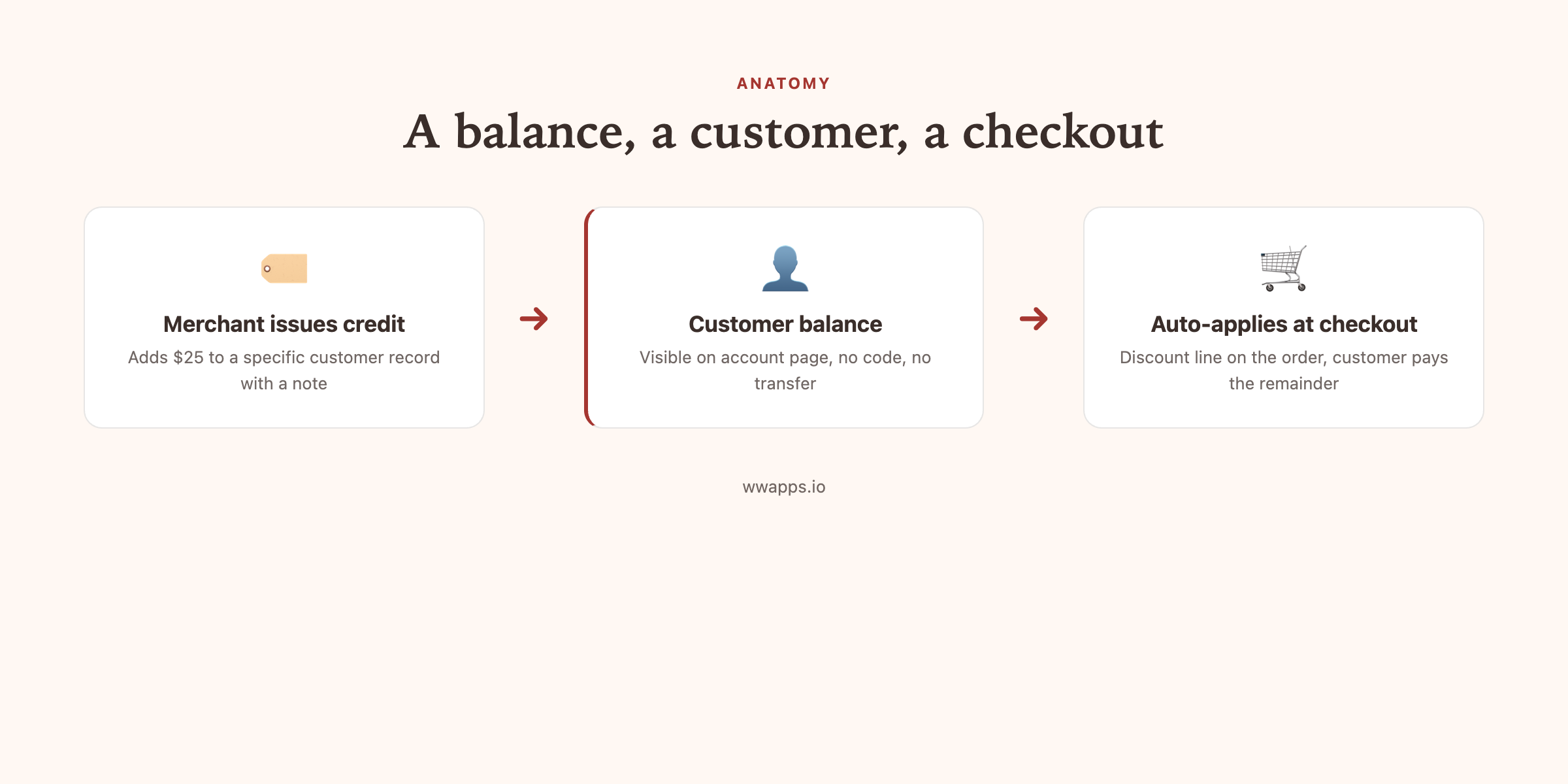
Shopify store credit is a balance attached to a specific customer record on your Shopify store. The merchant adds value to that balance, the customer sees it on their account page, and at checkout the balance applies automatically as a discount line on the order. There is no code, no coupon, and no email forwarding.
That is the entire concept. The detail below covers what makes store credit different from gift cards, refunds, and discount codes, and when each one is the right tool for the job.
The 30-second version
If you want a quick answer before scrolling: Shopify store credit is like a customer-specific discount that lives on the customer record, applies automatically at checkout when the customer is logged in, and never needs a code. Use it for refunds, win-back campaigns, VIP rewards, and anywhere you would otherwise hand out a discount code that you do not want shared or leaked.
What Shopify store credit is not
Three things people often confuse with store credit:
It is not a gift card. A gift card is a product. Someone buys it, gets a code, and the code can be redeemed by anyone who has it. Store credit is a balance, locked to one customer record, and there is no code. We covered the full distinction in store credit vs gift cards on Shopify.
It is not a discount code. A discount code can be applied by anyone who types it. Store credit only applies to the specific customer it was issued to, when they are logged in. This means it cannot leak to influencers, deal sites, or coupon scrapers.
It is not a refund. A refund moves money out of your shop and back to the customer's payment method. Store credit keeps the value on your shop, available for the customer's next order. Many merchants now refund to credit by default, which we cover in how to give store credit instead of a refund.
How a merchant issues Shopify store credit
From the merchant side, the workflow has two main paths.
The single-customer path: open the customer record in Shopify admin, find the store credit card (native if you are on Shopify Plus, app-installed otherwise), click Issue credit, enter the amount and an optional internal note, and confirm. The customer gets an email and the balance is live for the next checkout.
The bulk path: build a customer segment in Shopify (for example, customers who placed at least one order in the last 6 months), export as CSV, drop the CSV into the bulk credit tool, set a flat amount, and confirm. Every customer in the segment gets credit at the same time. This is the move that wins back lapsed customers, covered in win back lapsed Shopify customers with store credit.
How a customer redeems Shopify store credit
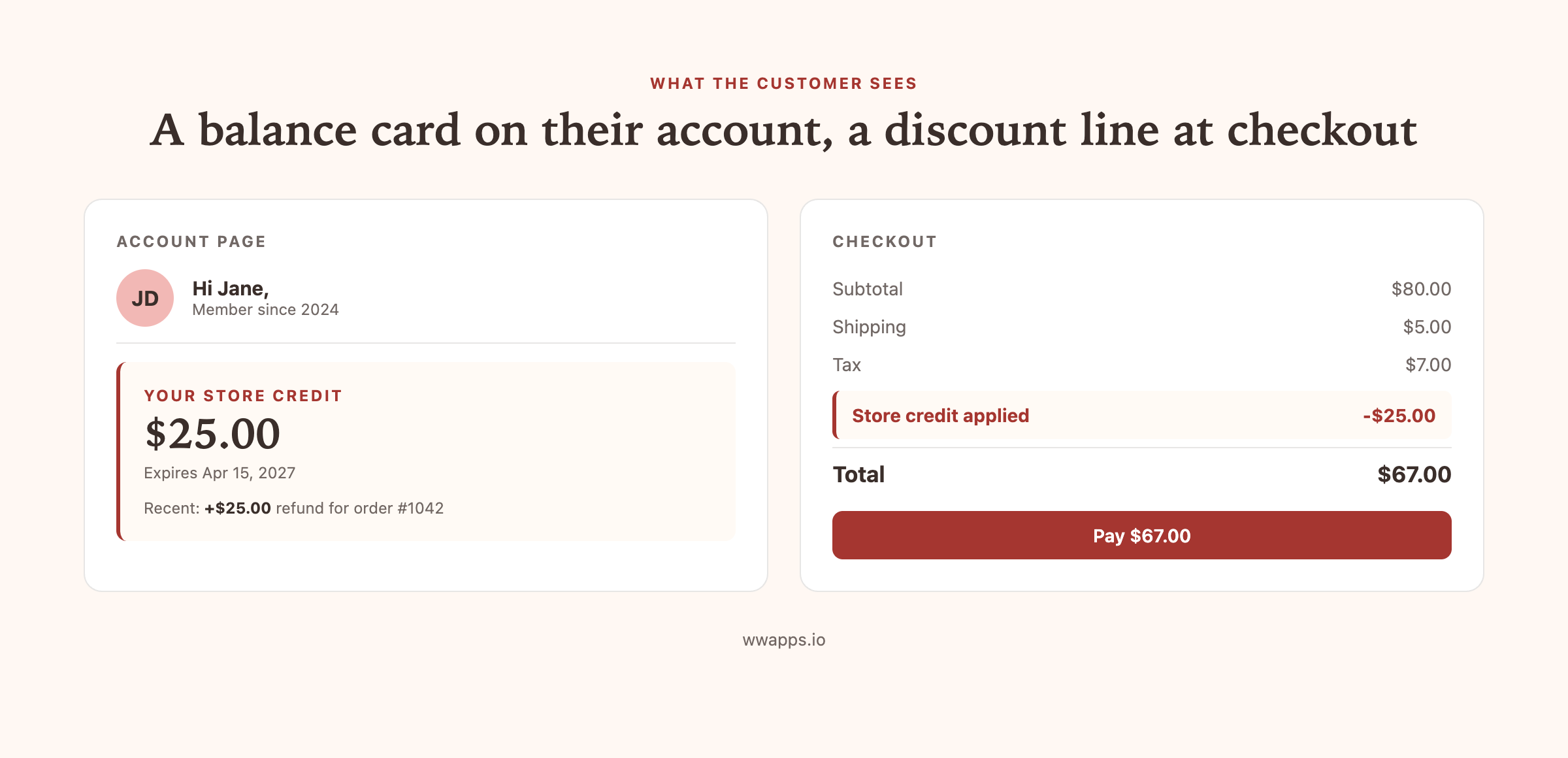
From the customer side, the experience is intentionally invisible. They get an email letting them know they have a new balance. The next time they shop, they log into their account, add products to cart, and check out. The credit applies automatically as a discount line on the order summary. If the credit covers the full order, the payment total is zero. If not, they pay the remainder as normal.
For the full mechanics including edge cases, see how store credit works at Shopify checkout.
Which Shopify plans support store credit
Shopify Plus has native store credit built in. If your store is on Plus, you can issue and redeem store credit in the admin without any app installed.
Every other Shopify plan (Starter, Basic, Grow, Advanced) does not include native store credit. You add it via a third-party app such as Bulk Store Credit by Win-Win Apps. The merchant and customer experience is the same, the only difference is that balances are stored as Shopify customer metafields rather than as native Shopify objects.
When Shopify store credit is the right tool
Use it when:
- You want to refund an order without sending cash out the door.
- You want to thank a VIP customer with a balance, not a code.
- You want to reactivate lapsed customers with a personal credit instead of a discount campaign.
- You want to apologize after a shipping issue and keep the value on your shop.
- You run a wholesale or B2B program where customers are used to thinking in account balances.
Skip it (and use a gift card or discount code instead) when:
- The buyer and the recipient are different people. That is what gift cards are for.
- You are running a public promotion. That is what discount codes are for.
- You only need it once or twice a year, in which case the manual store credit feature on Plus is fine, or a discount code is simpler.
What store credit costs to set up
If you are on Shopify Plus, native store credit is included in your plan. No extra cost.
If you are on any other plan, you install an app. Bulk Store Credit by Win-Win Apps has a free tier (the customer-facing widget plus 10 rows of CSV) and a Pro plan at $49 per month for unlimited bulk credit issuance. Most stores running win-back campaigns or VIP programs need Pro. Simple refund-to-credit flows can run on free.
Other apps in this category (Rise.ai, Growave) bundle store credit with full loyalty platforms and start at $19.99 per month, scaling up depending on order volume. We compare them honestly in best Shopify store credit apps.
Where to go next
If you want the full pillar guide covering everything from accounting to checkout edge cases, read Shopify store credit, the complete merchant guide.
If you are ready to install, Bulk Store Credit by Win-Win Apps has a free tier you can try on your store today. Works on every Shopify plan including Starter and Basic.
Try Shopify store credit on your store.
Free plan, every Shopify plan supported, no credit card to install.